OfferUp
OfferUp is one of the largest mobile marketplace apps on iOS & Android. As a fast growing start-up with a small design team, I took on a variety of responsibilities that included product design, user testing, visual design, and marketing. I designed end-to-end features on the Core Marketplace team, improving buyer & seller experiences on mobile & web, reaching 20 million users every month.
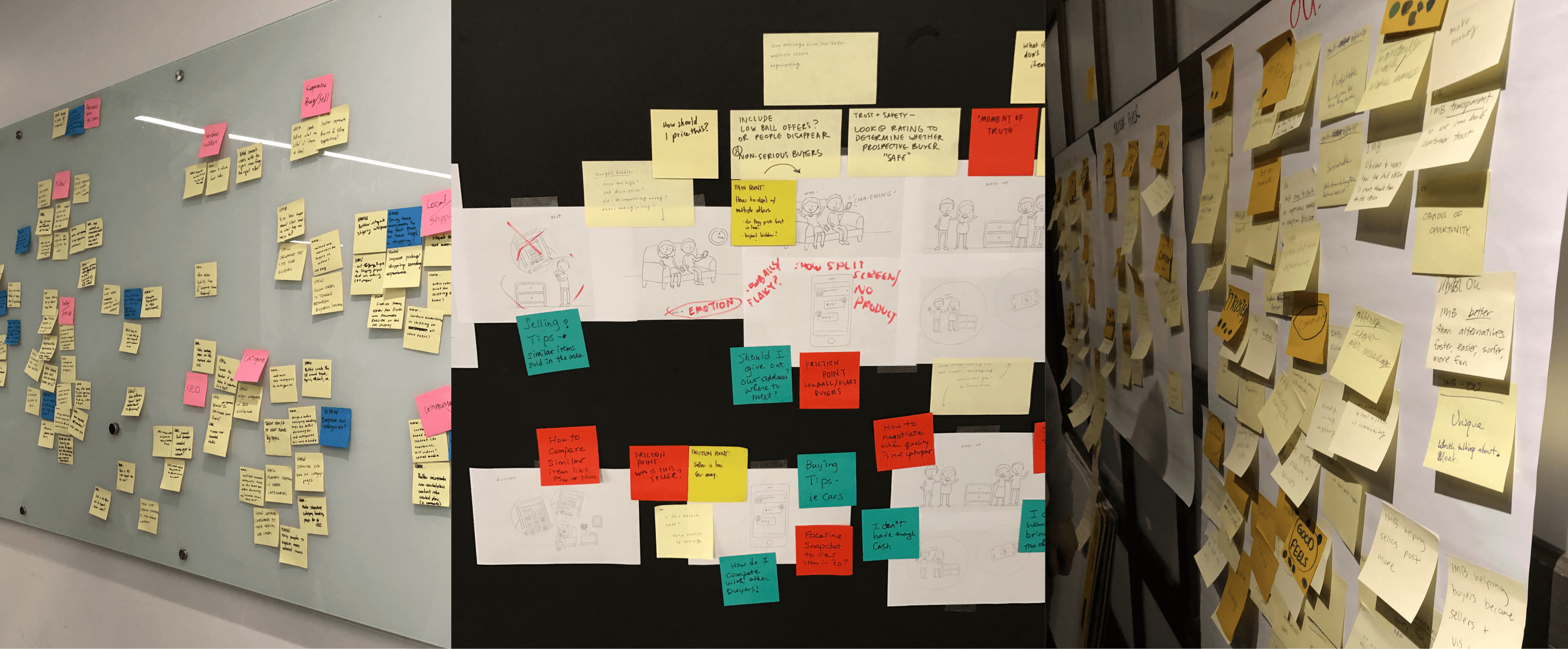
Through design sprints and ongoing customer research, our design team identified engagement drop-off between buyers and sellers as a key pain point. The two projects below tackled a shared problem: keeping buyers and sellers engaged with each other at the moments that matter most. Buyers couldn't easily track items they were looking for, and sellers were going silent on buyer inquiries. I led the design of two features to address both of these problems — Search Alerts for buyers, and No Response Notifications for sellers.
Role
Lead Product Designer
TIMELINE
2017-2018
Seller No Response Notification
The Problem
The Trust & Safety team identified a growing issue with sellers not responding to buyer inquiries, which often led to poor user experiences and decreased trust in the platform.
The Solution
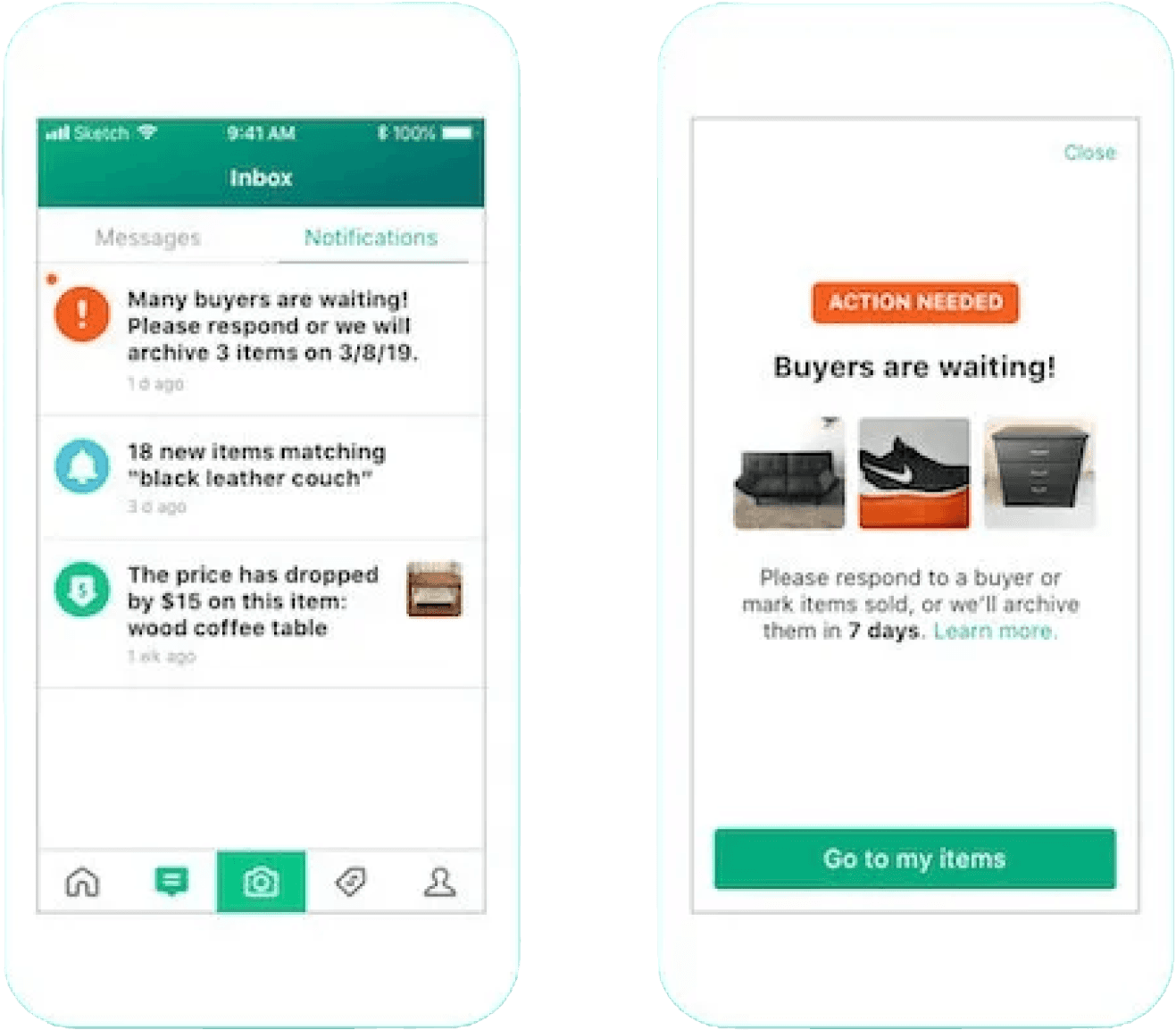
We explored ways to prompt seller engagement by introducing targeted notifications and in‑app prompts that encouraged sellers to take action. The goal was to create a more responsive marketplace experience and build greater reliability between buyers and sellers.
We wanted to begin the flow with a rich push notification, supported by an in‑app notification to re‑engage users including those who may not have opened the app in a while. The rich push notification directs users straight to a screen that prompts them to take action on items that have not received any responses. If a user takes action, they are not notified again, but if they do not take action, the item is automatically archived after seven days. Archiving does not permanently delete the item and users retain the option to revisit it if needed.
Challenges
One of the main challenges was working within engineering constraints and a limited timeline, which required us to significantly simplify the design and rely heavily on existing components already in the system while making sure the core user action remained clear and low-friction.
Results
Notifications drove a 70% action rate among sellers, reducing unresponsive listings and improving overall marketplace accuracy.
Team
I worked with a Project Manager, Content Writer, and three engineers to ship this feature to production.
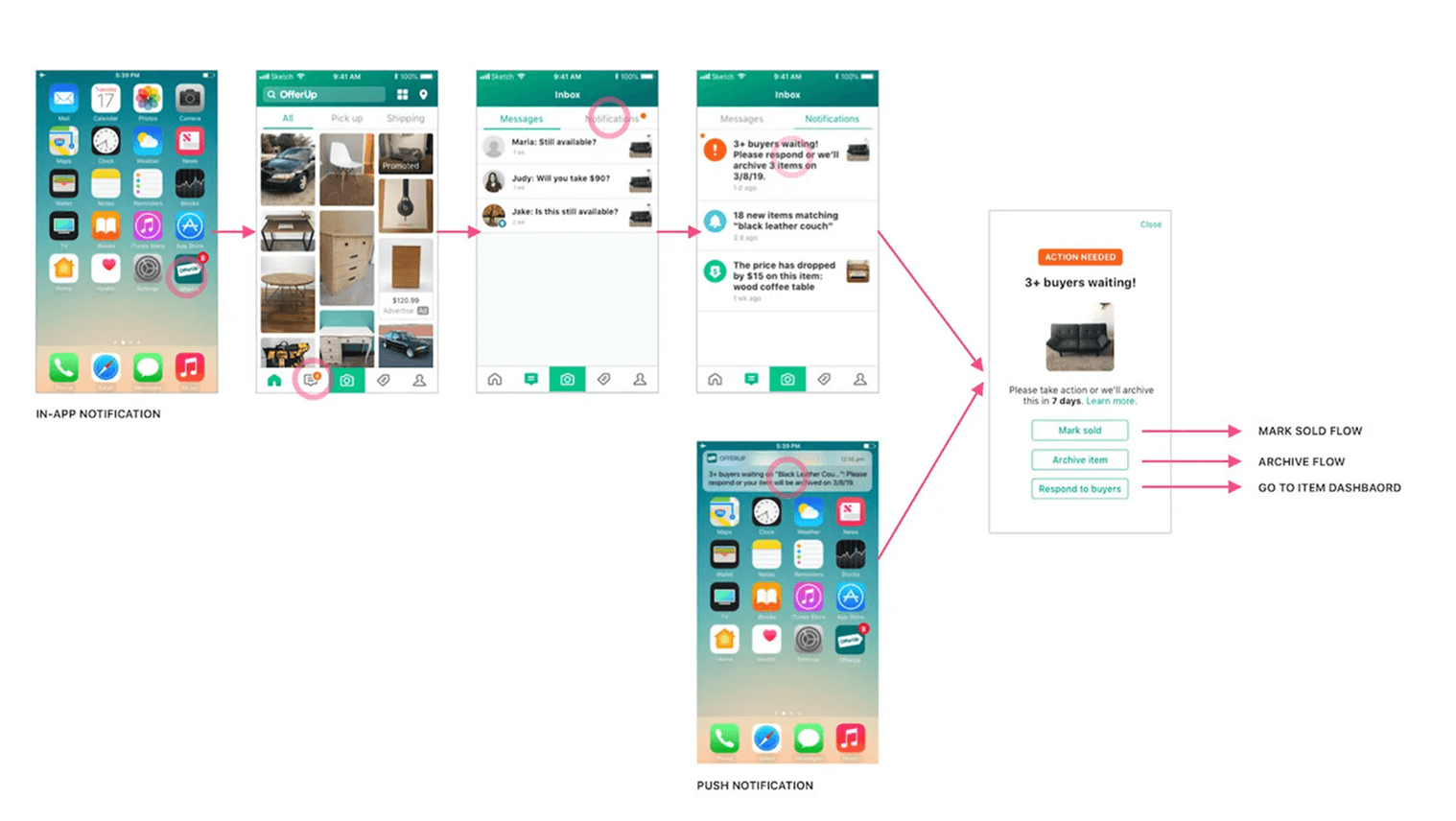
Single item notification flow
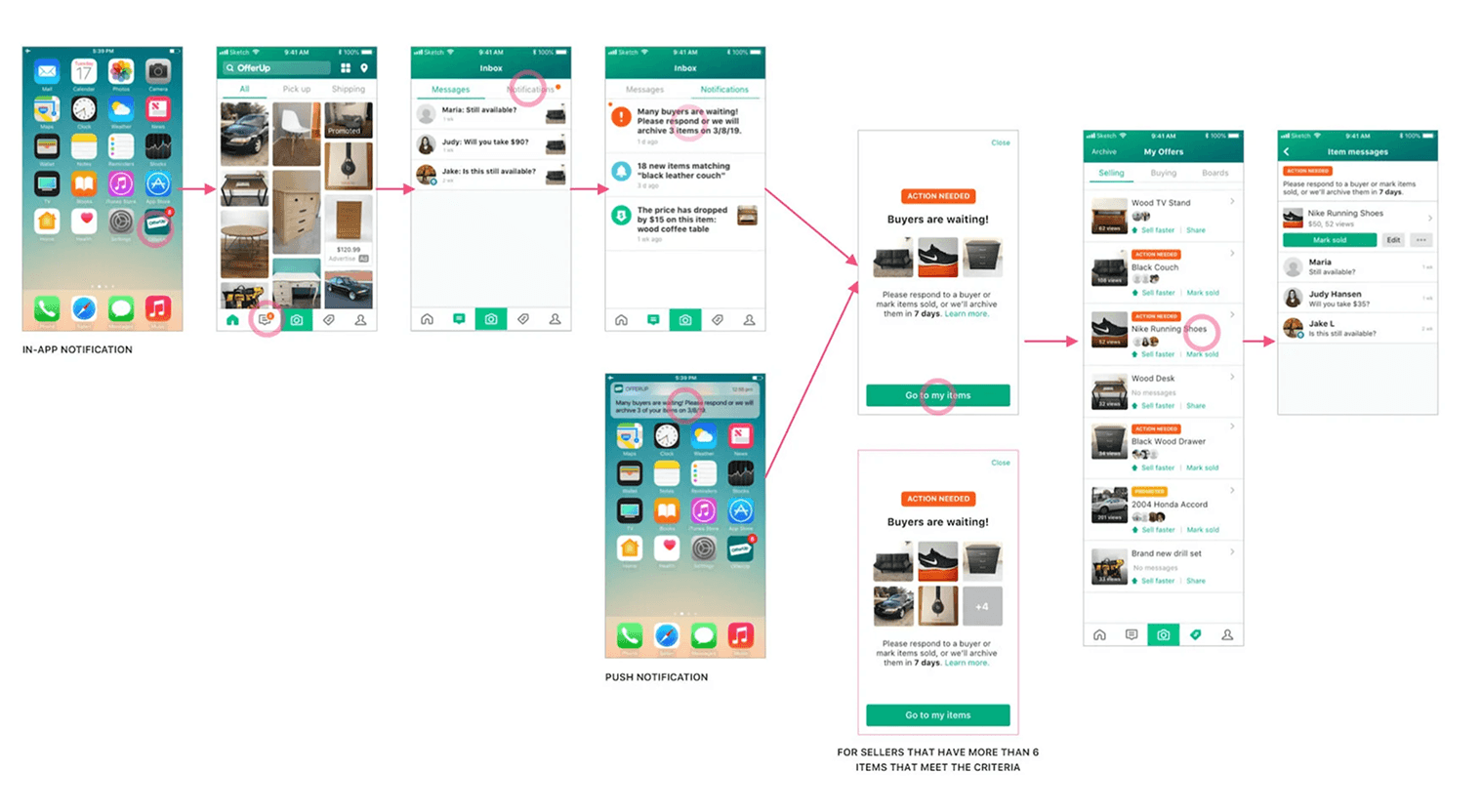
Multi-item notification flow
Search Alerts
The Problem
Buyers often struggled to find specific items especially those that were rare or listed infrequently, with no way to stay connected to that search. Without a way to capture that intent, we were losing engaged buyers who simply gave up and left the app.
The Solution
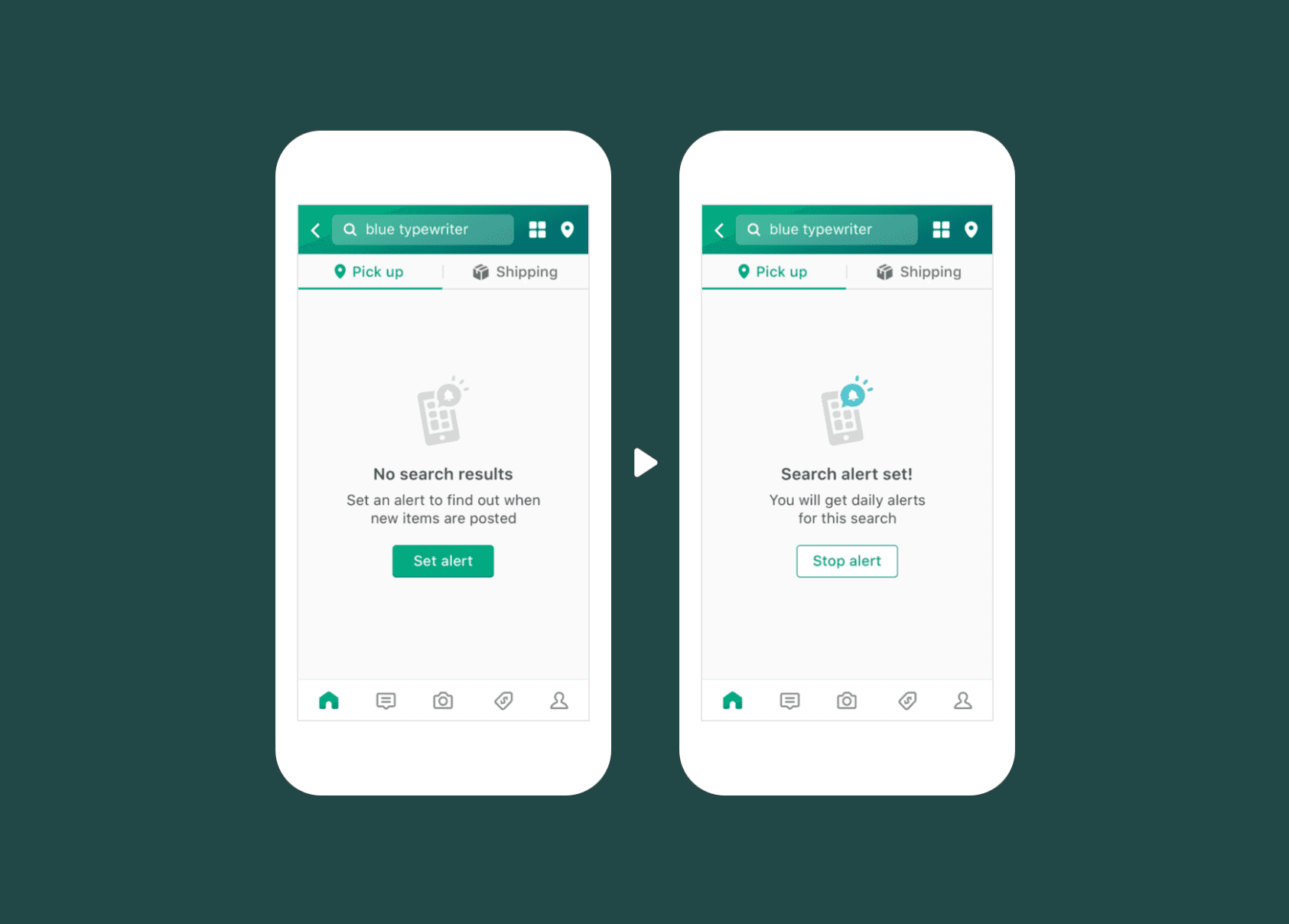
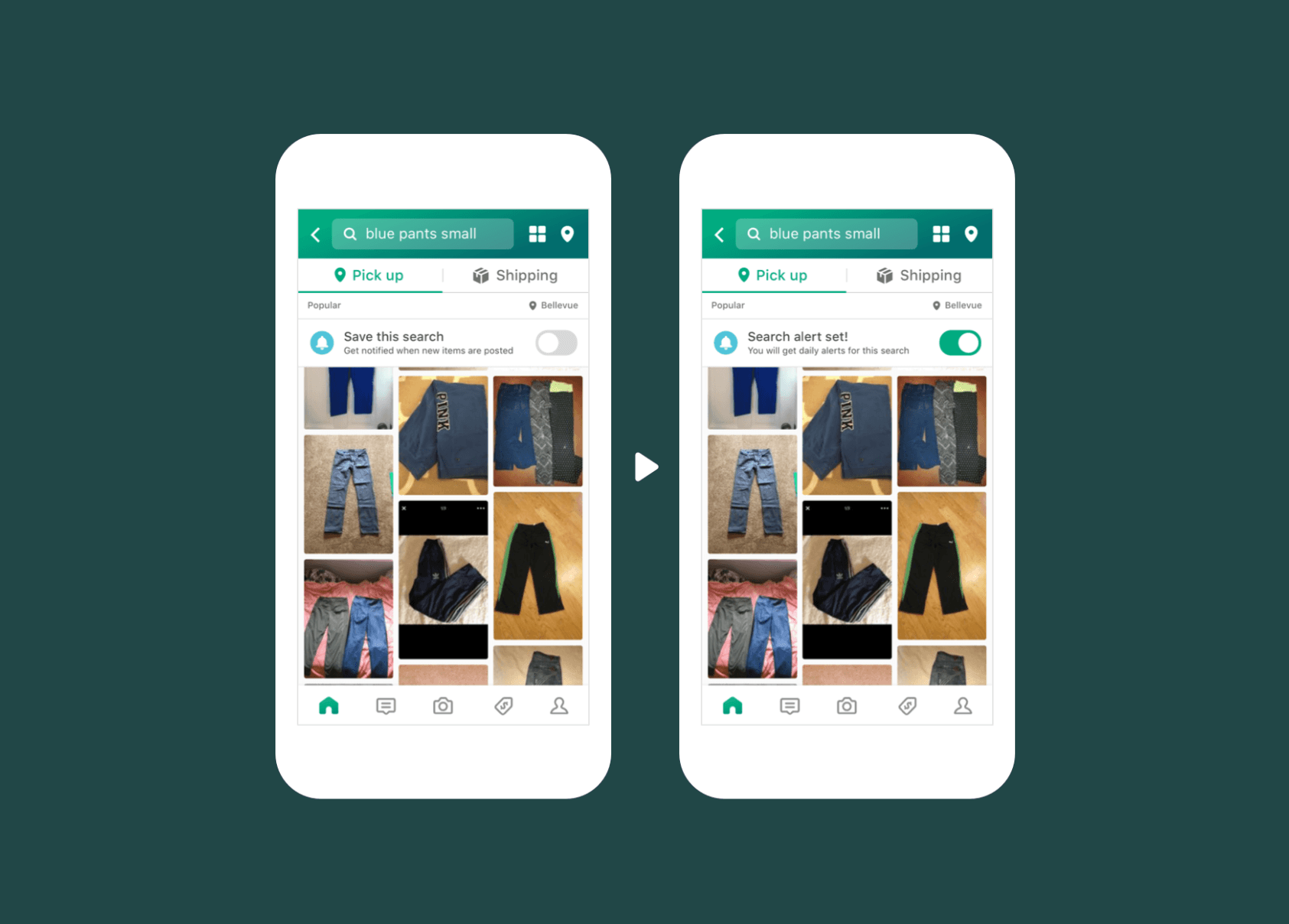
To address this pain point we introduced search alerts, designed to capture buyer intent with a single tap and notify them when matching items become available. This one‑tap action streamlined the experience, allowing buyers to stay engaged with minimal effort while increasing the likelihood of successful matches and repeat visits to the app.
Results
Following launch, search alert usage skyrocketed, validating that this was a a feature that was desired by buyers. Search alerts quickly became one of the most adopted tools for keeping buyers engaged with OfferUp.
Types of search alerts
There were three different scenarios we wanted to consider when setting a search alert.
No search results - for users with unique search terms that result in zero results
End of search results - for users with unique search terms that result in just a few results
General search alert - when a user has a common search with many results but still can’t find exactly what they’re looking for
When users set an alert, they would receive a notification when a new result matching their search appears in the app. If there are multiple new results, we would round them up into one notification so they don’t get overloaded with multiple notifications.
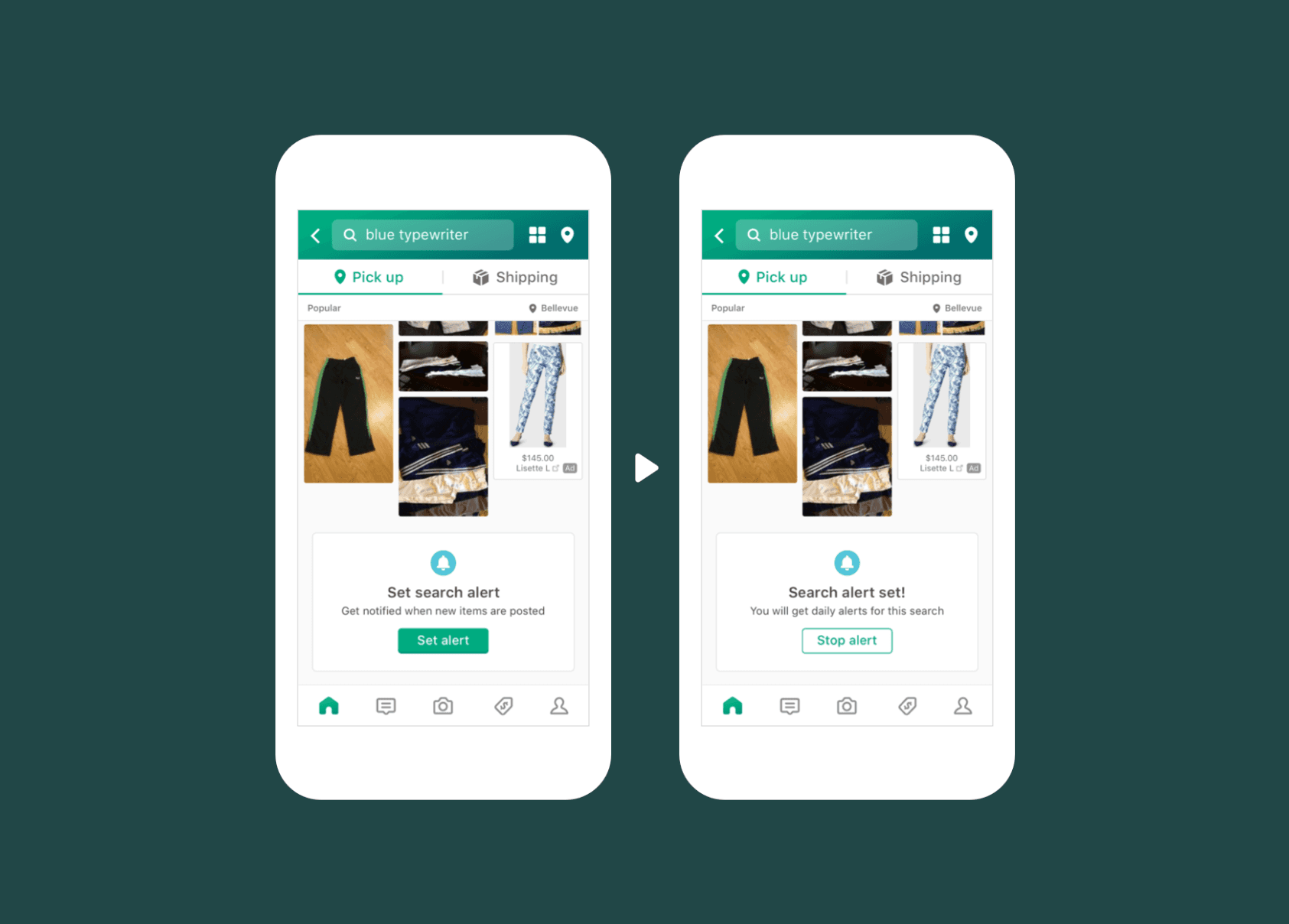
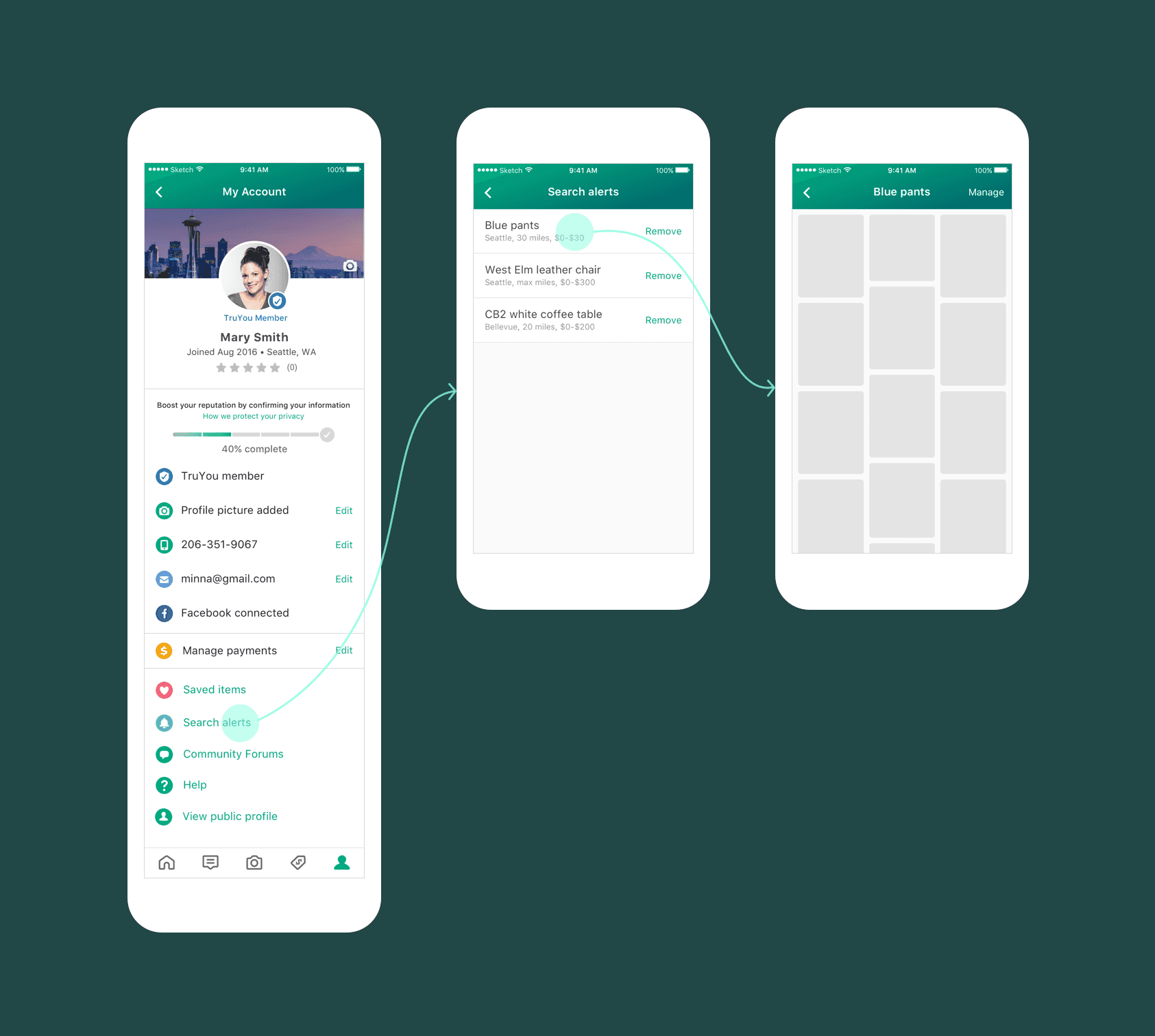
Managing and viewing search alerts
Users were able to manage their search alerts in their profile where they could view or remove the alert.